BUILT FOR REFRIGERATION FIELD WORK
Good work.
A clear record.
From the first equipment photo to the final field report. Guided commissioning for the technician doing the work.
One job. A record worth keeping.

to an issued report.
Actual early-access screen · fictional sample job
Grocery display cases / Restaurant reach-ins / Walk-ins
PHOTO TO FIELD REPORT
A little structure.
A much clearer handoff.
Keep the equipment, the decisions and the evidence together—even when the next visit is someone else’s.
 Read text on this device
IDENTIFICATION
Read. Review. Confirm.
OCR is a starting point. You confirm the exact markings before using them.
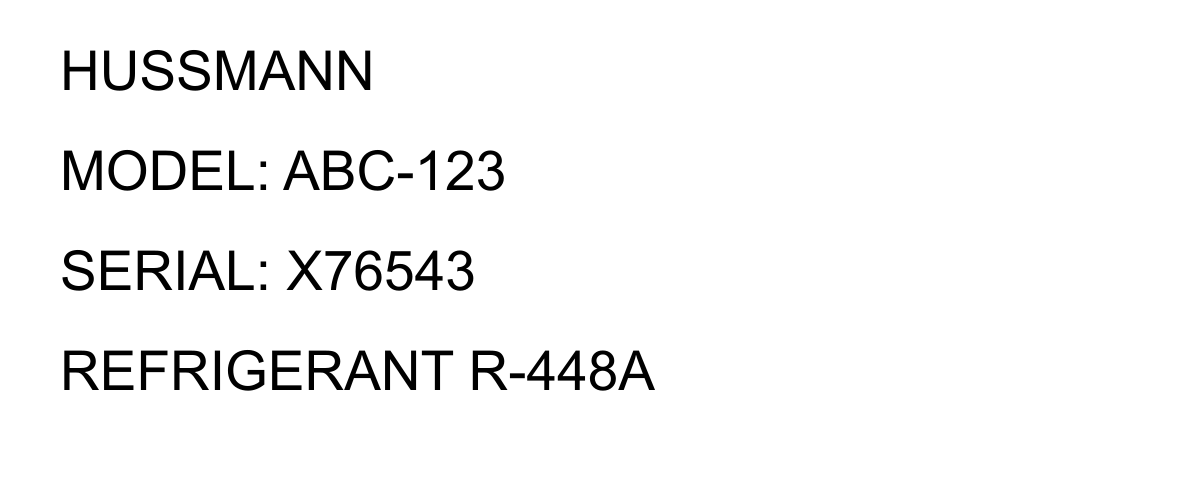
Start with the equipment. Photograph the nameplate, controller and metering device. Read the text on your device, then confirm what you see.
Interactive motion walkthrough. No audio. Sample values are illustrative, not operating recommendations. The app does not connect to or program physical equipment.
Ready when the signal isn’t.
Prepare the app and text recognition while online. Keep working with local jobs, photos and reports offline.
Keep the issue. Keep the history.
Issued reports preserve their evidence. Reopen a job for follow-up without rewriting the earlier issue.
Your device. Your backup.
Jobs stay in this browser. Export full backups with photos and report history. A PDF is the readable handoff.
CLEAR ABOUT COVERAGE
The right guidance
starts with the right model.
Identify the exact controller and firmware. Guided manual changes are available only within the reviewed scopes below.
Explore coverage & operating limitsXR70CX
Reviewed SET / HY scope · manual rev. 1.3
XR60C / XR60D
Reviewed SET / HY scope · manual rev. 1.0
Evap OEM 21214 · v2.02
Basic Display tS scope · mechanical TEV/TXV
Other models, unsupported firmware, CO₂/R744, electronic expansion valves and hot-gas systems stay intake-only. Model and operating gates apply. No manufacturer endorsement or equipment certification is implied.
TAKE IT TO THE NEXT JOB
Your field app.
Within reach.
Hindsight Field is in private early access. Public app access and subscriptions are being prepared. Explore the workflow here, or contact us about availability.
This is the product preview. The field workspace remains private; there is no public app installation or checkout here. Contact opens your email app. No payment is collected.
For authorized early-access users: install from the private app address after signing in. These steps do not install this marketing page.
Add it to your home screen.
- Open your authorized app address in Safari.
- Tap Share, then Add to Home Screen. Choose Open as Web App if offered.
- Tap Add. Open the app and choose Prepare offline before heading out.
Keep a full backup of important jobs. Clearing browser data can erase local records; there is no automatic cloud backup.
Privacy, in plain terms.
This marketing site has no account form, checkout, advertising trackers or job uploads. Its hosting provider may log ordinary page requests. If you email us, your message goes to Ninth Variant Studios LLC through your email provider.
In the private app, jobs, photos and reports are saved in the browser on the device being used. Keep full backups; clearing browser data can erase those records. The public samples on this page use fictional QA data.